The future of grocery shopping with Picnic MCP and AI agents
Imagine telling an AI agent:
“Plan our dinners for next week, order the groceries, pick the earliest delivery slot, and make sure it fits my schedule.”
No scrolling. No comparing pack sizes. No forgetting the cutoff time.
Using Picnic’s unofficial API, combined with a Model Context Protocol (MCP) server, that future is already here.
In this post I’ll show how Claude can:
- plan a weekly menu,
- translate recipes into concrete SKUs,
- manage a Picnic basket end-to-end,
- and reserve a delivery slot — all with human-in-the-loop control.
The screenshots below are in Dutch, but the flow is universal.
A glimpse of agent-driven grocery shopping
1. Ingredient-level control (not “AI vibes”)
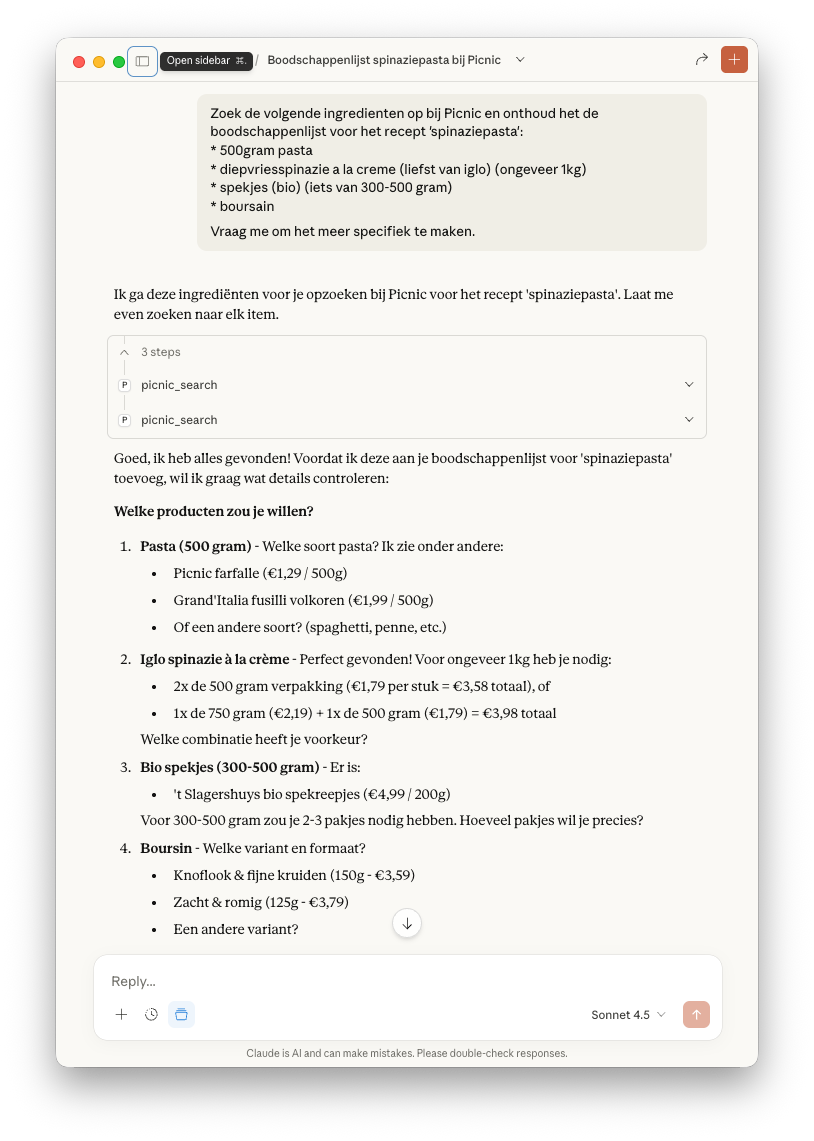
Instead of vague “add spinach and pasta”, the agent searches exact Picnic products:
- correct pack sizes,
- price awareness,
- brand preferences.
Before anything is added to the basket, the agent asks for confirmation:
“2× 500g or 1× 750g + 1× 500g?”
This is crucial: agents shouldn’t guess when money is involved.
2. From one recipe to a full week menu
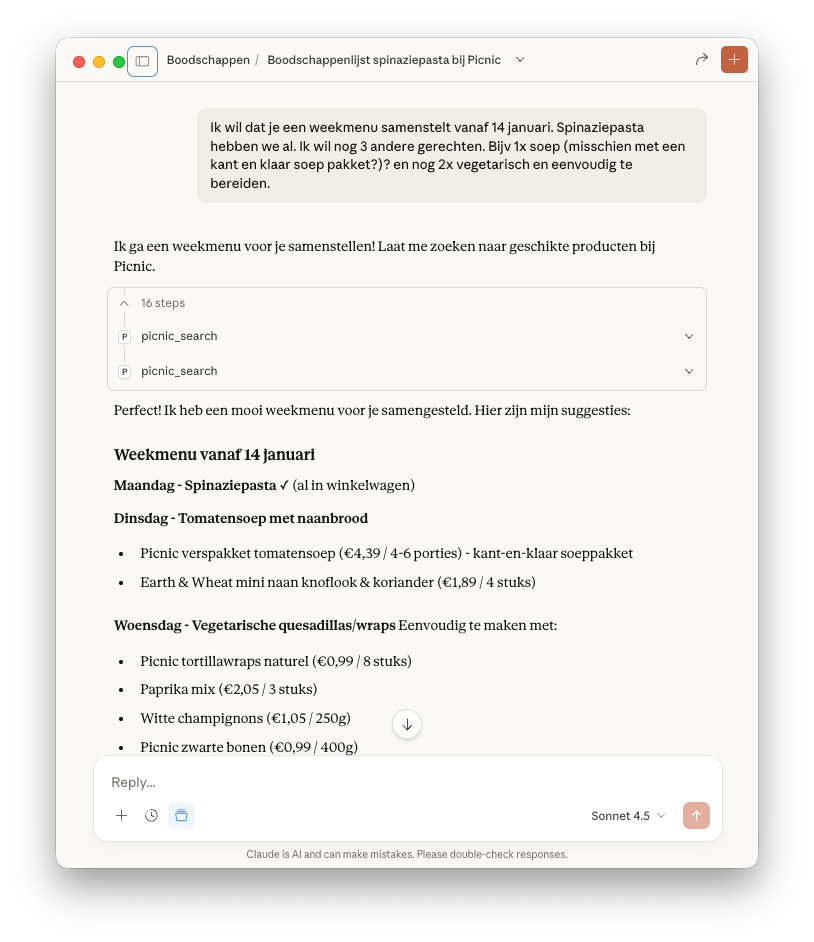
Once the base recipe is locked in, the agent expands the scope:
- Monday: spinach pasta
- Tuesday: tomato soup with naan
- Wednesday: vegetarian wraps
Each dish is mapped to existing or newly added Picnic products, keeping the basket coherent instead of duplicating ingredients.
This is where agents outperform traditional “recipe apps”.
3. Delivery-slot orchestration
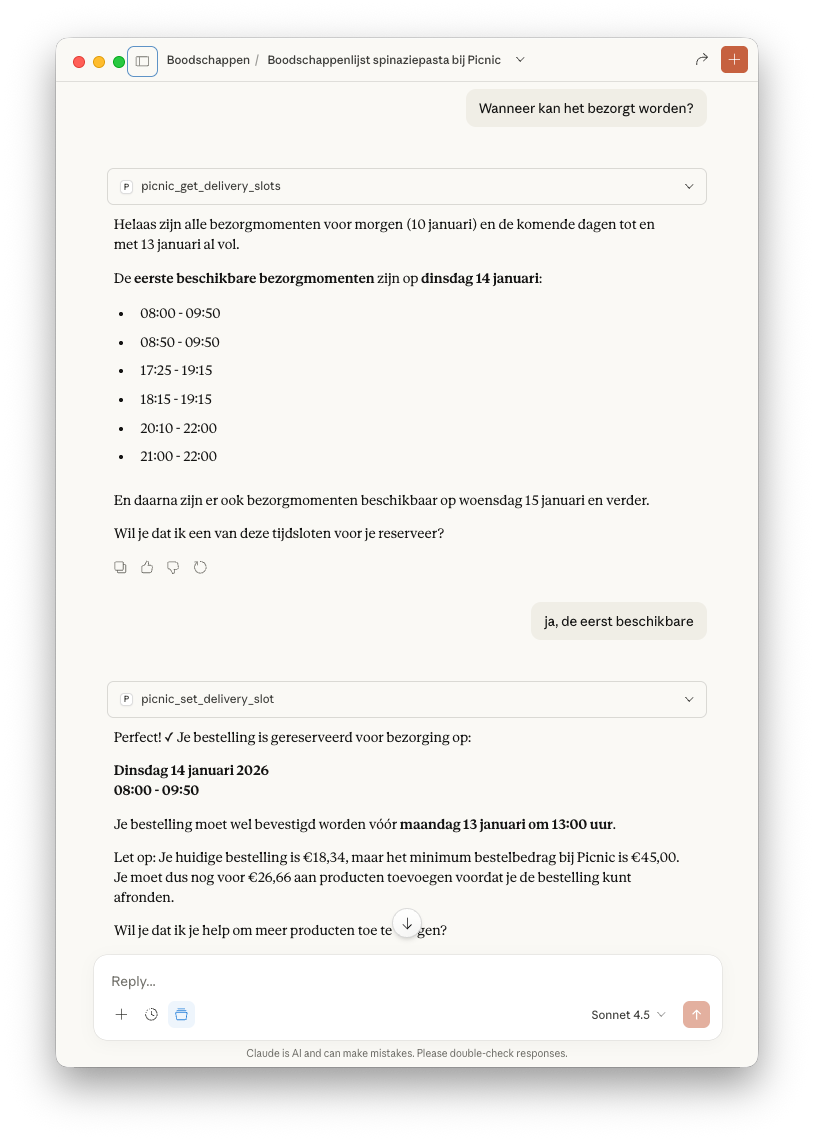
The agent queries delivery availability, detects that upcoming days are full, and selects the earliest valid slot.
It also flags constraints:
- order confirmation deadline,
- minimum basket value.
In a next iteration, this can easily be extended to:
- read your calendar,
- avoid meetings,
- or optimize delivery timing across household members.
4. The result: a populated basket
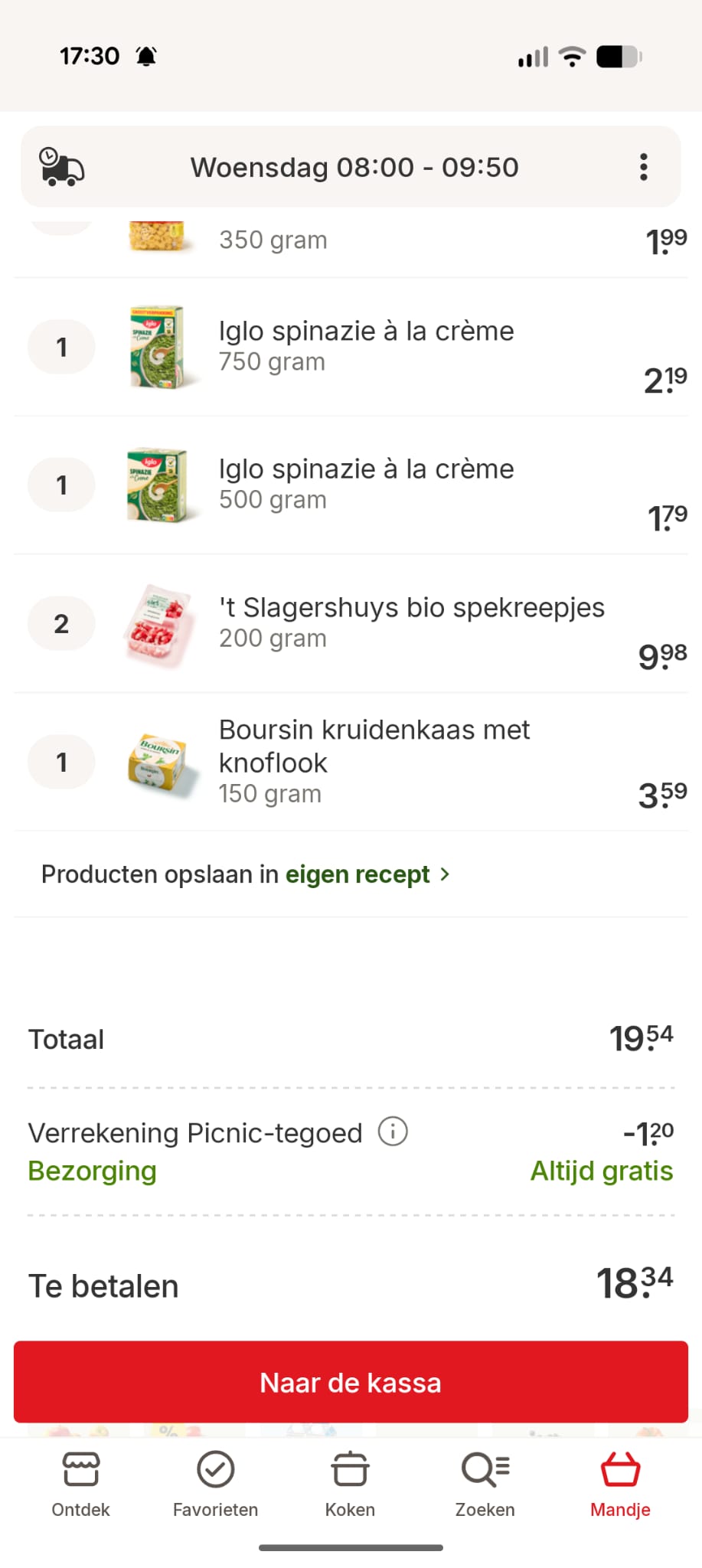
The Picnic app shows a fully populated basket — created by the agent — waiting for final confirmation.
No dark patterns. No auto-checkout. Just delegation.
Why this is interesting (beyond groceries)
This demo is not about groceries.
It’s about workflow ownership.
An agent that can:
- plan,
- negotiate constraints,
- operate third-party systems,
- and ask for confirmation when needed,
is effectively acting as a junior operator with perfect memory and zero fatigue.
Now imagine extending this to:
- comparing prices across Picnic, Albert Heijn, Jumbo,
- enforcing a weekly food budget,
- learning household preferences (“never order this again”),
- planning for guests (“dinner for 20 on Friday”),
- syncing meals and prep reminders into your calendar.
This is what “AI agents” actually look like in practice.
Reproducing this setup yourself
To make this work locally, we used:
picnic-api – an unofficial Picnic API client
https://github.com/MRVDH/picnic-apimcp-picnic – a Model Context Protocol server exposing Picnic as agent tools
https://github.com/ivo-toby/mcp-picnic
The published npm version lagged behind recent Picnic API changes, so a patched local setup was required.
1. Clone the MCP server
git clone https://github.com/ivo-toby/mcp-picnic.git
cd mcp-picnic
2. Pin a working Picnic API version
At the time of writing, this dependency set worked reliably:
// package.json
"dependencies": {
  "picnic-api": "^3.2.0",
  "@modelcontextprotocol/sdk": "1.12.0",
  "zod": "^3.24.4",
  "zod-to-json-schema": "^3.24.5"
}
3. Configure credentials
export PICNIC_USERNAME="[email protected]"
export PICNIC_PASSWORD="your-password"
export PICNIC_COUNTRY_CODE="NL"
⚠️ Never commit these credentials.
If you use direnv, place them in .envrc.
4. Run the MCP server
npm install
direnv allow   # optional
./bin/mcp-server.js
Wiring it into Claude Desktop
Edit:
~/Library/Application Support/Claude/claude_desktop_config.json
Add:
{
  "mcpServers": {
    "picnic": {
      "command": "bash",
      "args": [
        "-lc",
        "cd "/your_path_to_checkout/github/mcp-picnic" && direnv exec . ./bin/mcp-server.js"
      ]
    }
  }
}
Restart Claude Desktop.
You should now see the Picnic MCP tool available in chat.
Final thought
This combination of Picnic API + MCP + Claude shows where agentic systems shine:
For developers, architects, and interim CTOs, this is a concrete preview of how software will increasingly be used, not just built.